
KOCH-CHEMIE
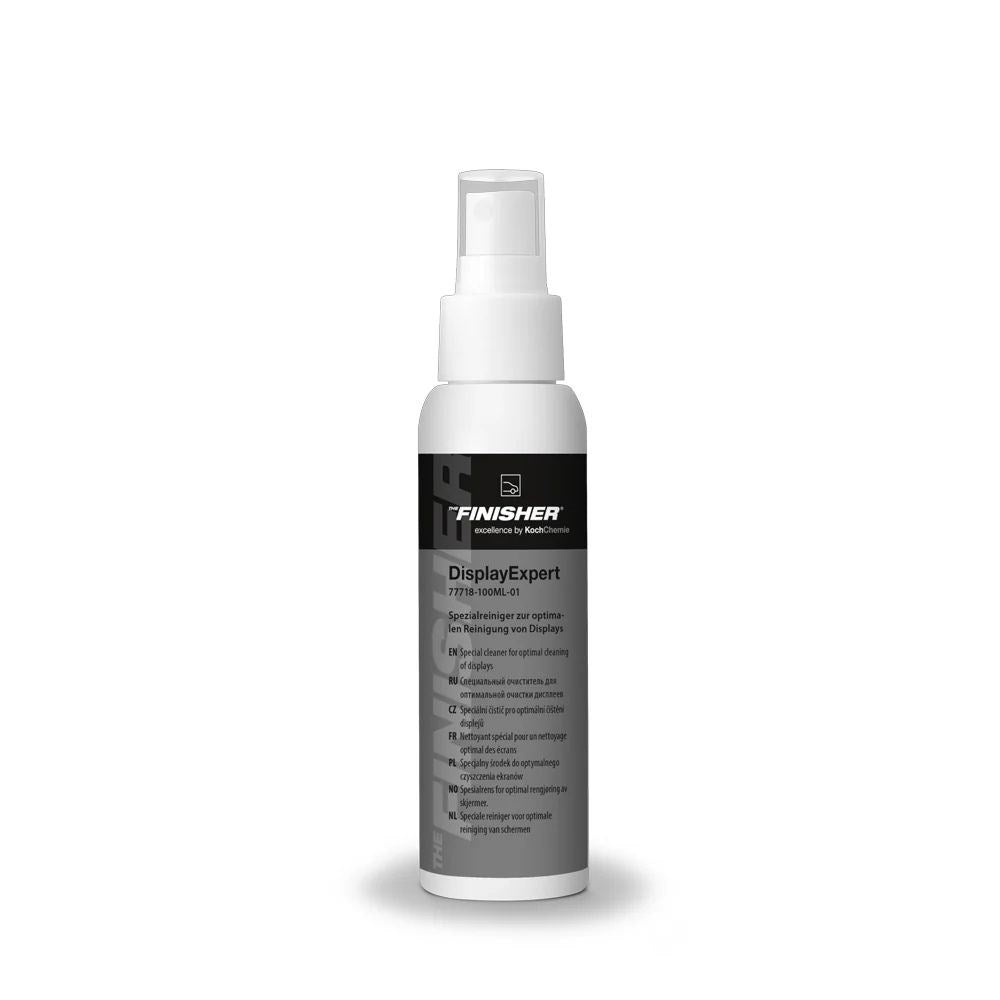
The Finisher DisplayExpert | Display Cleaner 100mL
Free Shipping For Orders Above $150.00 – Conditions Apply
Same Day Dispatch On Orders Placed Before 10am
Available In:
Koch Chemie DisplayExpert a specialist cleaner for infotainment screens, digital displays and sensitive gloss surfaces, designed to remove fingerprints and smudges safely.
Features & Benefits
- Specialist cleaner for displays and screens
- Removes fingerprints, smudges and light grime
- Suitable for infotainment screens and digital clusters
- Safe, controlled cleaning for sensitive surfaces
- Helps reduce streaking and residue
- Ideal for modern vehicle interiors
- Professional final detail product
Koch Chemie DisplayExpert is designed for the sensitive screen surfaces found in modern vehicles. Infotainment screens, digital dashboards and gloss control panels collect fingerprints quickly, but they should not be cleaned with aggressive APCs or over-wet towels.
DisplayExpert provides a safer, more targeted solution for removing fingerprints, smudges and light residue from these delicate areas. It is ideal for final interior presentation, dealership vehicles and regular maintenance of modern interiors.
Use alongside Koch Chemie Allround Surface Cleaner for general surfaces and InsideCare or Top Star for plastics and trims. Keep a dedicated clean microfibre towel for screens only to avoid introducing scratches.
Pro Tip
Keep one soft towel only for displays and gloss interior trims. Using a contaminated towel is one of the fastest ways to scratch piano black surfaces.
Frequently Asked Questions
Can DisplayExpert be used on infotainment screens?
Yes. It is designed for vehicle displays and sensitive screen surfaces.
Should I spray directly onto the screen?
It is safer to spray onto a towel first.
Can it be used on gloss black trim?
Yes, carefully with a very soft clean towel.
Display Cleaning
- Turn off the display where possible so smudges are easier to see.
- Spray DisplayExpert lightly onto a clean microfibre towel, not directly into buttons or edges.
- Wipe the screen gently using light pressure.
- Flip to a dry side and buff away remaining residue.
- Repeat only if necessary.
Sensitive Surface Notes
- Avoid rough towels or dirty cloths.
- Do not saturate screens or control panels.
- Use very light pressure on gloss black trims.